Best Code Beautifier - Instantly Format & Clean Your Code
Format HTML, JavaScript, and CSS for better readability.
Code Beautifier
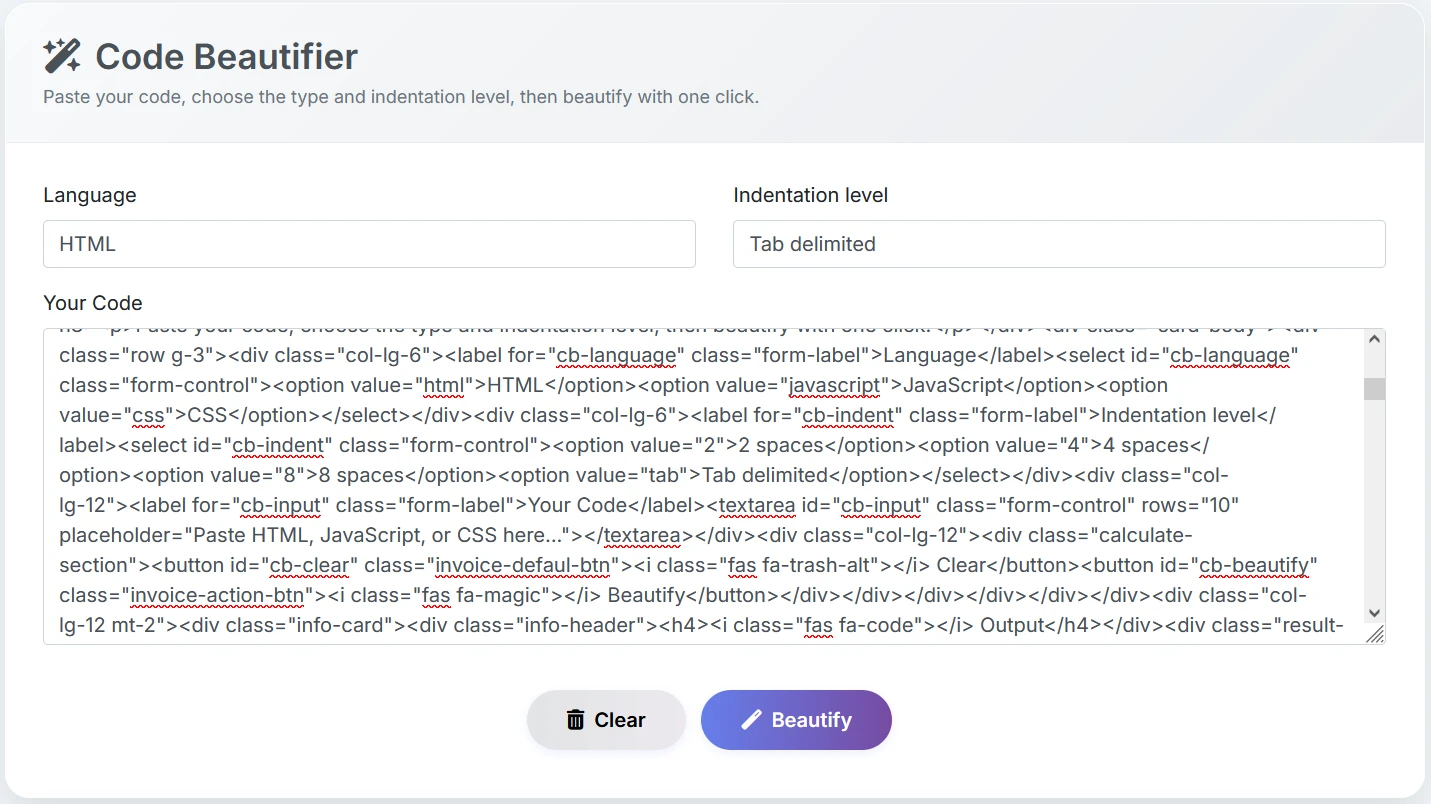
Paste your code, choose the type and indentation level, then beautify with one click.
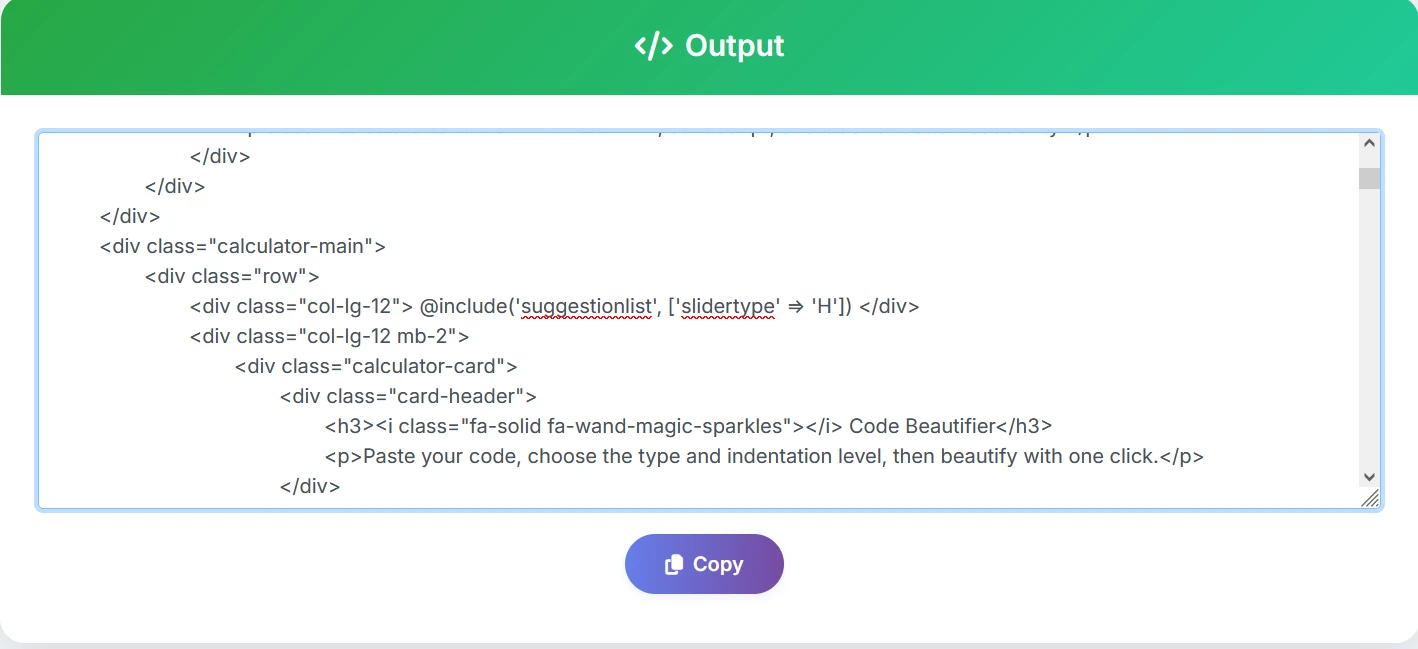
Output
Steps to Format Your Code
👉 Online format guide
Copy your HTML, JavaScript, or CSS into the "Source Code" box.
Pick the correct language from the "Format" dropdown.
Pick your preferred format style (2, 4, 8 spaces, or Tab).
Press the Format button to clean your code online.
Use the Copy button to grab the formatted code from the result box.
Before
After
Best Code Formatter
Format disorganized code for easy readability. Supports HTML, JavaScript, and CSS. Everything happens in your browser.
A code formatter, also known as a code beautifier, is a tool that automatically rearranges your source code, such as HTML, CSS, JavaScript, and so on, into a well-organized and readable format. It ensures consistent indentation, spacing, line breaks, and alignment, making your code look neat and clean. Code formatters are a huge time-saver for developers, as they eliminate the need for manual code formatting.
Features of Our Code Formatter
- Instant Preview: Get the formatted code instantly in the result box.
- Free Online Tool: Enjoy all features without registering.
- Privacy-Friendly: All calculations occur locally in your browser. Your code is never uploaded to a server.
- Customizable Indent: Select to use spaces or tabs for indentation, as per your project requirements.
- Multi-language support: Formats HTML, JavaScript, and CSS code-encompassing all your front-end development requirements.
- Flexible indentation: Allows you to select between 2, 4, 8 spaces, or Tabs, as per your coding requirements.
- One-click workflow: - Simple process: paste code → select your preferences → click "Beautify" → get the formatted code instantly.
- Client-side processing: - All processing happens right in your browser - so your code will never leave your computer, ensuring privacy and offline functionality.
- One-click formatting: - After formatting, your code is ready to be copied - making your life easier.
Online Code Formatter Uses
- Web Development: Format HTML, CSS, or JavaScript code instantly before use.
- Code Review: Format code for easier code reviews.
- Learning & Teaching: Format code examples to help students or beginners understand code organization.
- Debugging: Use formatted code to easily identify errors and debug code.
- Documentation: Format code snippets for documentation or blog writing.
Frequently Asked Questions (FAQ)
Yes, it is completely safe. All code formatting happens directly in your browser, and your data is never uploaded to any server.
Yes, the tool is 100% free to use with no sign-up, no watermark, and no usage limits.
This tool supports HTML, CSS, JavaScript, and most front-end code formats for clean and readable output.
Yes, you can format large code files. Performance may depend on your browser and device, but most files work smoothly.
No. Your code never leaves your device. We do not store, track, or analyze any of your content.
Yes, you can choose tab-based or space-based indentation according to your coding preference.