Free Client Quote Generator
Used by millions worldwide!
How to Create Quotes Online
👉 Quick Tutorial
Add your business identity, like a professional logo or company name.
Enter the document date, unique quote ID, and current status.
Input your business data (name, address, and contact details) in the From section.
Add customer details (name, address, and contact info) within the To Address area.
- List product details, including quantities and rates. You can also customize titles/labels as needed.
- Include any relevant taxes or discounts.
- Add notes if you want to provide extra context or a specific message for your customer. Check the final balance.
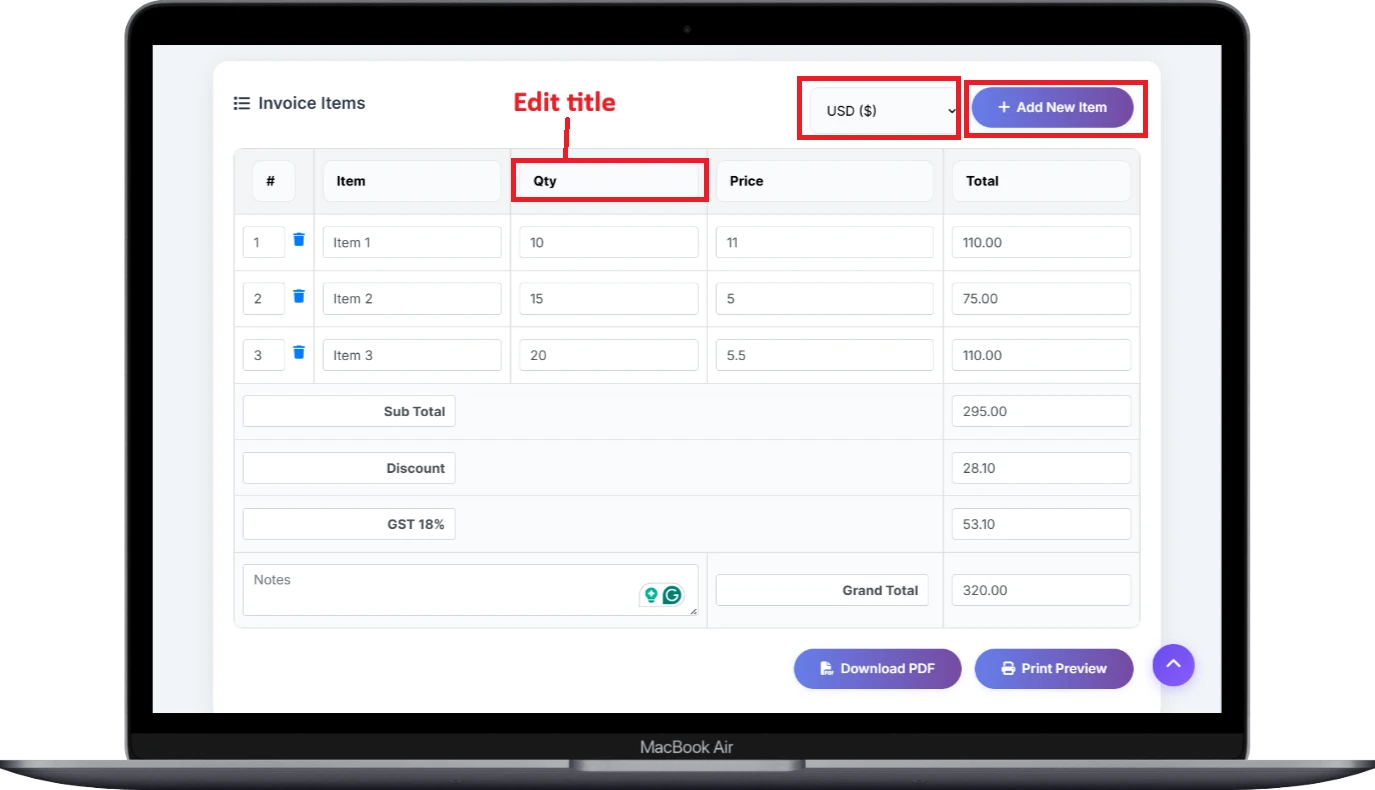
Select the Preview button to check your document's design before printing.
Select the Download button to save your document as a PDF.
About Quote Generator
Create Quotes in Minutes
Make Branded Quotes with one click! Used by millions worldwide!
Create and export professional quotes in seconds with ToolHubSpot's Free Custom Quote Creator. Whether you are a freelancer, small business owner, or entrepreneur, our tool provides a simple yet effective way to create quotes that represent your brand. You have complete control over all fields-you can include your logo, business information, customer information, products, taxes, and more.
Using a completely customizable template and without requiring you to sign up, you can create quotes and download them in high-quality PDF format-for free. Create and send quotes smarter and faster with ToolHubSpot today!
For quick assistance, please refer to the video below: Watch on YouTube
Why Choose Our Quote Creator?
- Multi-Currency Support: Bill global clients using any international currency.
- Tax & Discount Features: Apply GST, VAT, or custom taxes and discounts easily.
- PDF Export & Printing: Download professional PDF quotes or print them directly.
- Mobile-Optimized: Works perfectly on all smartphones, tablets, and devices.
- Unlimited usage, 100% FREE!
- Generate professional quotes online
- Fully Customizable & Downloadable
Use Cases for Quote Generator
- Freelancers & Consultants: Easily generate and send professional quotes to clients without the need for complicated accounting software.
- Small Businesses: Create professional quotes with custom logos, tax information, and payment terms in minutes.
- E-commerce Sellers: Generate downloadable PDF quotes for customer purchases and online transactions.
- Agencies & Service Providers: Customize quote templates to include service details, project hours, and pricing.
- Personal Billing: Easily generate one-time quotes for rent, tutoring, event planning, or personal services.
- Corporate Teams: Use standardized quote templates across departments for consistency and professionalism.
- International Billing: Include currency symbols, tax information, and language support for global clients.