Create Your E-Signature Online
Draw Your Digital Signature
Instantly create a custom e-signature without signups or apps. FREE!
Draw Free E-Signatures
👉 Step-by-step guide
Draw your e-sign using a mouse or finger in the box above. Use a touchscreen device for more natural electronic signing.
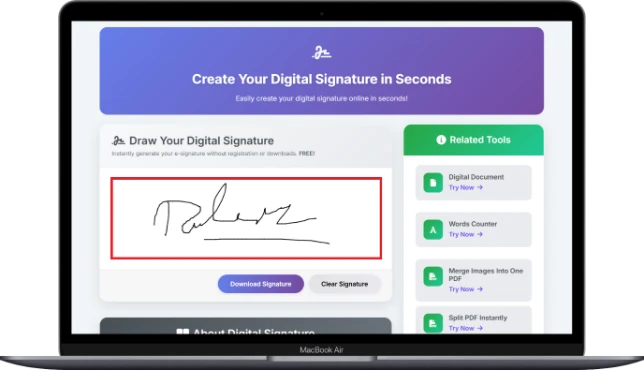
Check your e-signature. If not satisfied, click "Clear Signature" to try again until you are satisfied with your online result.
Click "Download E-Sign" to download your transparent PNG signature. You can now use this electronic sign in documents, emails, or PDF forms.
About E-Signatures
What is an Electronic Signature?
Our free e-signature generator allows you to create your signature by drawing it or typing it out, which you can then download as a transparent PNG file. This is ideal for professionals who need a quick and clean electronic signature.
Make your professional online signature today at ToolHubSpot. Give your PDFs and emails some personality with our stylish and customizable signature options.
Why Our E-Signature Tool is Unique?
- Create E-Signatures Online for Free - Instantly generate your electronic sign without registration or downloads.
- Draw or Type Your Signature - Choose to hand-draw or use signature fonts for a professional, custom look.
- Transparent PNG Download - Save your signature image with a clear background for PDFs, Word, and emails.
- No Signup, No Watermark - 100% FREE, private, and the best tool for quick e-signature creation.
- Use for PDFs, Word, & Forms - Perfect for digital contracts, agreements, and online form submissions.
- Secure and Confidential - Your data is never stored or tracked. Only you access your e-sign creation.
- Works on Any Device - Mobile, tablet, or desktop: generate your signature anywhere, anytime.
- Multiple Redraws - Not happy? Clear and redraw until your custom signature is perfect.
- Simple & Intuitive Interface - Just draw, preview, and download. No learning curve required.
- Professional Results - Create a crisp, high-quality sign image for contracts, forms, and more.
E-Signature Tool Use Cases
- Sign PDF Documents: Attach your e-signature to PDF documents, such as contracts, agreements, and other important PDFs.
- Email Signatures: Design a professional e-signature image for your email signature to enhance authenticity and branding.
- Online Forms & Apps: E-sign job applications, school forms, or government documents without printing and scanning.
- Business Invoices & Receipts: Attach your signature to business invoices and documents for a professional and authentic appearance.
- Legal & Financial Docs: E-sign NDAs, loan documents, and other legal documents remotely.
- Remote Work & Freelancing: E-sign freelance contracts, project approvals, and client agreements.
- Personal Use: E-sign permission slips, authorization letters, or personal documents.