Online WEBP to PNG Converter
Convert images between different formats instantly. Support for JPG, PNG, WEBP, GIF, BMP, and more.
Upload & Convert
Select your image and choose the target format for conversion.
Preview & Download
Your converted image will appear here.
No image selected. Upload an image to convert.
How to convert images
👉 Step-by-step guide
"Choose File" to upload and convert your photo from any device.
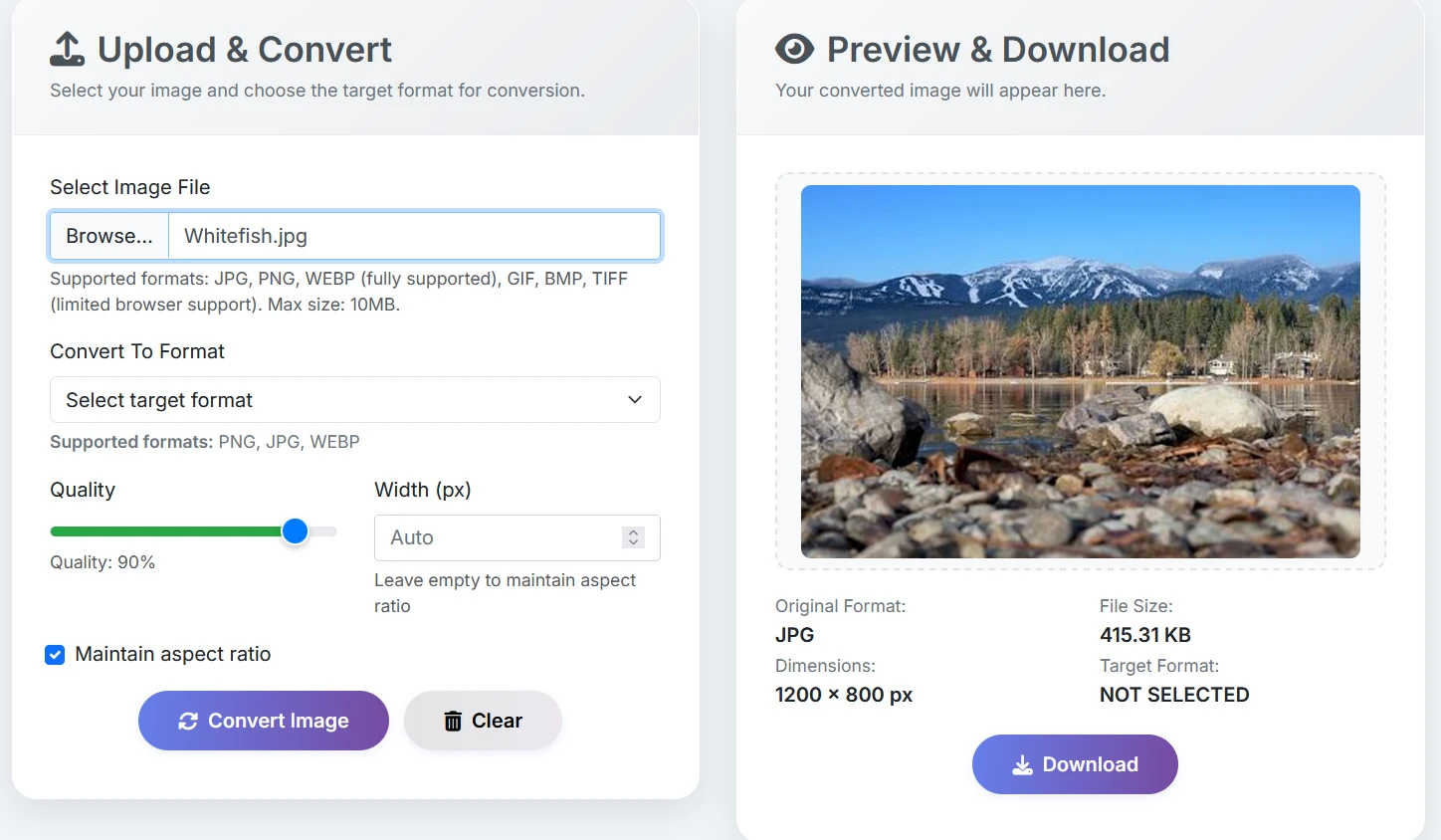
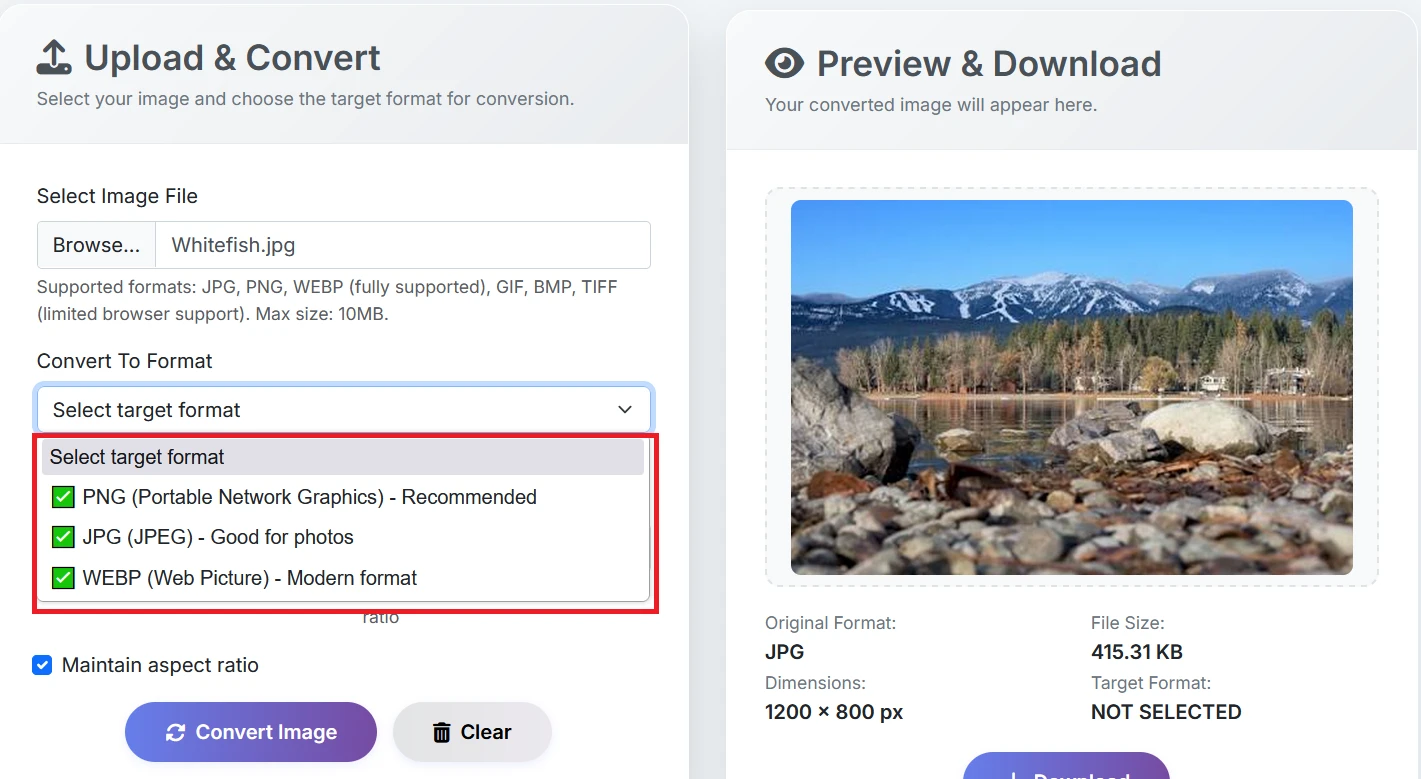
If you want to convert from webp to png, select webp as input format and png as output format.
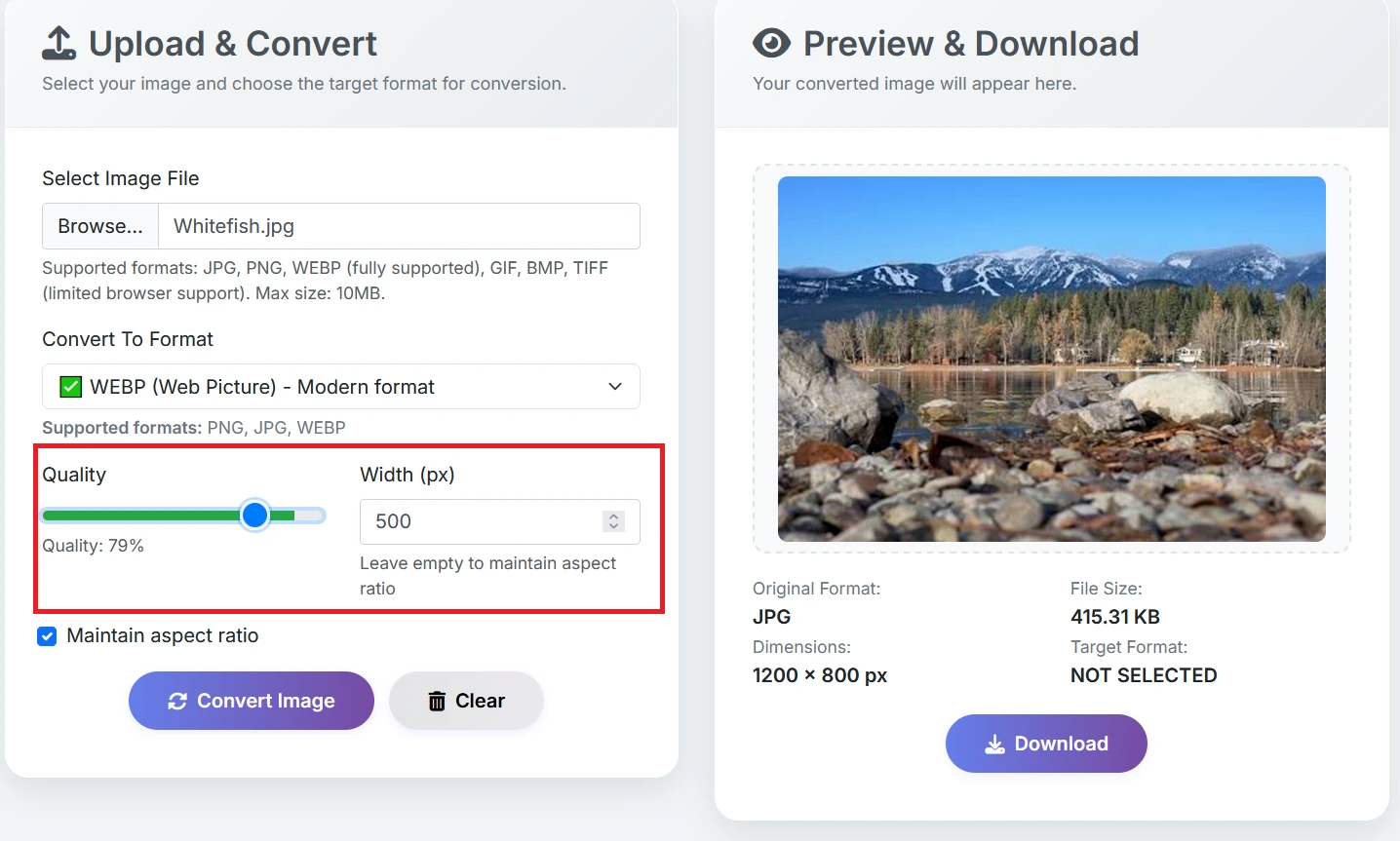
Adjust image quality, compress, or resize while keeping aspect ratio.
Press "Convert Image" to process your photo online fast and instantly.
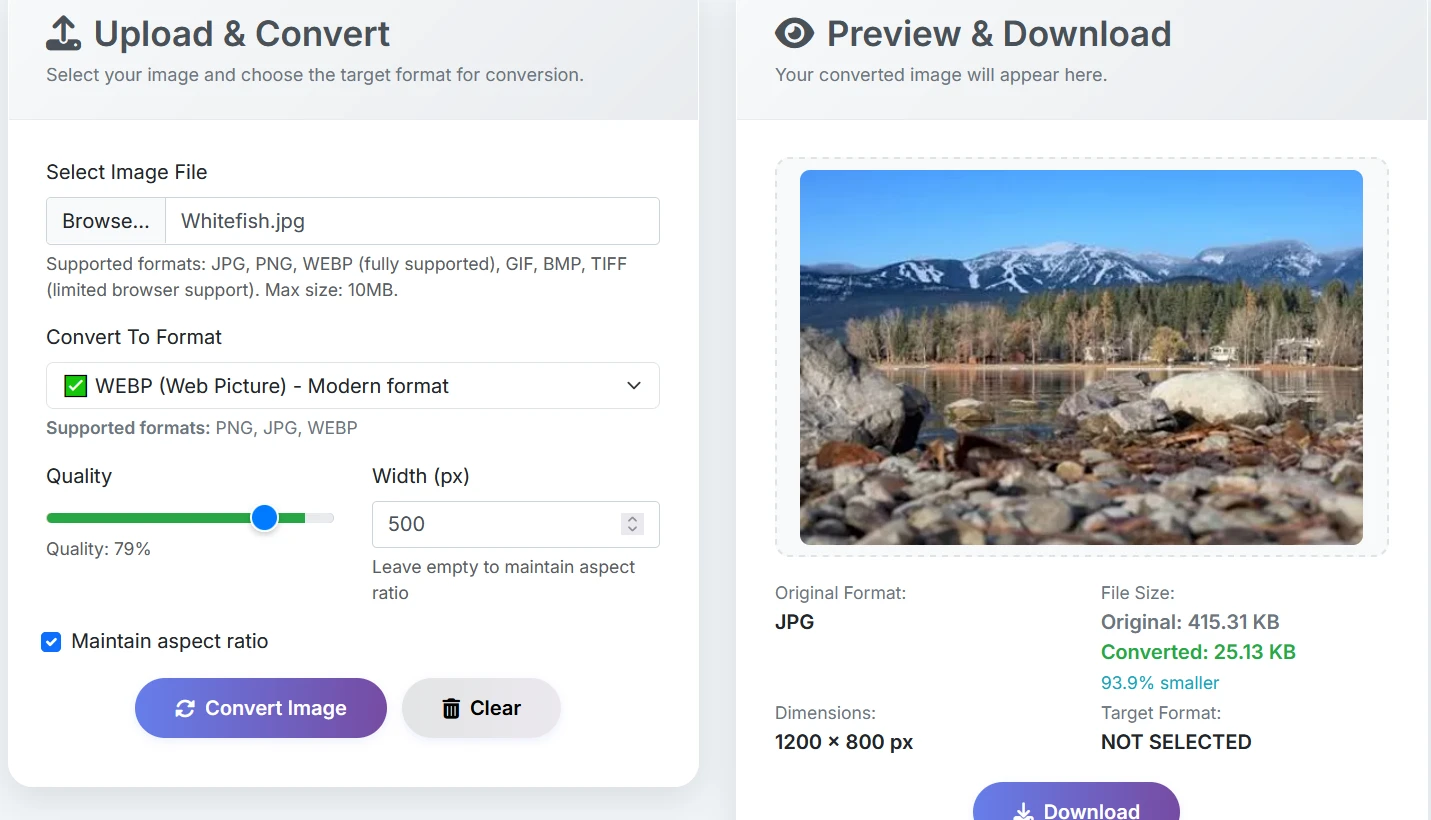
Preview your new photo and save the free download to your device.
About Image Converter
What is an image converter?
The Free Image Converter is a speedy, professional-grade tool designed to batch convert webp files to png files. It's perfect for optimizing photos for SEO, web design, or enhancing site performance, delivering lossless results in just seconds. This tool is a must-have for developers and creators looking to fine-tune images for platforms like WordPress, or social media.
Browser Compatibility Note:
Just a heads up: due to browser limitations, converting GIF, BMP, and TIFF files might not work in Chrome or Safari. While you can upload these files, exporting them to other formats can be tricky. For the best experience, stick with PNG, JPG, or WEBP to ensure quick and compatible online image processing.
What makes our image converter unique?
- Private Local Conversion: All image processing happens right in your browser, ensuring maximum privacy and data security. With no cloud uploads, your webp files and png stay right where they belong-on your device.
- Live Photo Preview: See your converted image in real-time before you save it, giving you the chance to tweak quality settings with complete visual confidence.
- Custom Image Compression: Tweak the levels of lossy or lossless compression to strike the perfect balance between crystal-clear images and smaller file sizes.
- Lock Aspect Ratio: Keep your proportions just right or adjust dimensions when resizing to get the exact pixel width and height of png file you're after.
- Top Format Support: Effortlessly convert between webp and png formats-all fully optimized for SEO and compatible with modern web browsers.
- Drag & Drop UI: Just drag your files into the workspace - it's the quickest way to convert images online without any unnecessary clicks or software.
- Unlimited & No Watermark: Enjoy unrestricted access to high-resolution conversions without any branding, daily limits, or hidden tool restrictions.
- Responsive Web Design: Works flawlessly across all devices-optimized for desktop, iPad, Android, and iPhone browsers.
- Secure Zero-Server Privacy: Your images never leave your local device, keeping sensitive data 100% safe and private at all times.
- Universal OS Compatibility: Works on Windows, Mac, Linux, and iOS for a smooth, cross-platform image conversion experience.
- Free Forever, No Login: No sign-ups, no monthly fees, and no watermarks just fast, simple, and reliable online image tools.
Where our image converter can be used?
- Social Media Optimization: Quickly resize and convert your images for speedy uploads and flawless displays on platforms like Instagram, LinkedIn, and TikTok.
- Best for E-commerce SEO: Enhance your Shopify and Etsy product photos to ensure they load swiftly and appear sharp, helping to boost your store's conversion rates.
- Built for Creative Pros: Designers and photographers can effortlessly export images for their Adobe portfolios, client reviews, or digital showcases.
- Email-Ready Compression: Shrink image file sizes for easy attachments without sacrificing High-Definition (HD) quality.
- Fast Loading Blog Photos: Bloggers can create web-optimized images that enhance Google PageSpeed and look stunning on any mobile device.
- Legacy File Archiving: Turn images into universal formats to guarantee long-term compatibility and easy access for years to come.
- Alpha Channel Support: Change images to PNG for transparent backgrounds-perfect for professional logos and layered design projects.
- Max Storage Savings: Switch images to JPG to cut down on file size while still keeping that stunning, high-resolution quality.
- Retain Motion Data: Use the GIF format to preserve frame-based animations for social sharing or simple web viewing.
- Global Web Standards: Make sure images look great across all modern browsers, apps, and mobile operating systems.